Computer programming

MERN Stack Projects: Build & Deploy a Multi Election Voting App using MongoDB Express React Node JS
Hostinger Discount: https://www.hostg.xyz/SH8cs
In this complete MERN stack project tutorial, we're going to build a full stack voting application that comes with Authentication with JWT, light-dark theme, full mobile responsiveness, multi-election voting functionality, and more! We will start by building and designing the frontend part of the project using React JS. Before we move on to the Backend, where we'll create the API using Node JS and Express JS, together with other pacakges like JWT for authentication, cloudinary for cloud file storage, Postman for testing our API endpoints, Mongo DB as our databse, and a lot more!
I will walk you through the entire project from scratch and make sure you understand everything step-by-step! In this first part of 3, we will build and design the frontend (all pages and components needed for the application). In the next video, we will work on the API or backend of the project.
This is the most practical MERN Stack project you can find on the internet.
Completed Project SOURCE CODE: https://buymeacoffee.com/egator/e/340214
Become a Patron: https://patreon.com/egator
Timestamps
00:00 Project Demo
17:13 Hosting and FREE Domain
21:00 Project Folder Structure
27:40 Routing
36:15 Error Page
39:00 General CSS Styles
52:50 Navbar
1:09:47 Theme Toggle
1:17:40 Register Page
1:29:35 Login Page
1:32:20 Results Page
2:01:00 Candidates Page
2:13:40 Redux Toolkit
2:20:50 Confirm Vote Modal
2:42:20 Congrats Page
2:45:53 vote-slice
2:54:04 Elections Page
3:07:15 Add Election Modal
3:18:00 Election Details
4:03:06 Backend (NodeJS ExpressJS API)
7:07:20 Connecting Client (React App) to Backend (Node Express API)
9:32:30 How to Deploy a MERN Stack Application
Assets: https://github.com/egattor/voting-app-assets

https://www.hostg.xyz/SH8cs
Learn how to build and deploy a modern responsive ecommerce dashboard using html css and javascript.
Source Code: https://buymeacoffee.com/egator/e/354397
Become a Patron: https://patreon.com/egator
ZERO TO HERO course newsletter: Coming soon...
TIMESTAMPS:
00:00 Intro (Project Demo)
03:52 Hosting & FREE Domain
07:39 Folder Structure
11:45 Sidebar HTML
21:22 CSS Variables and General Styles
34:15 Sidebar CSS
42:00 Navbar
51:44 Main Cards
1:06:47 Chart HTML & CSS
1:08:39 Top Products
1:14:41 Top Categories
1:24:35 Upcoming Events
1:33:40 Media Queries
1:54:00 Theme Toggle JavaScript
1:57:40 Sidebar Toggle on small screens
2:01:20 Bar Chart & Pie Chart
2:12:00 Website Deployment
Assets: https://github.com/egattor/eco....mmerce-dashboard-ass

Complete Responsive Personal Portfolio Website using HTML CSS & JavaScript (Full Tutorial)
Hostinger Discount: https://www.hostg.xyz/SH8cs
In this video, I'm going to show you step-by-step how to create and deploy a complete responsive personal portfolio website using HTML, CSS & JavaScript. This website will be fully functional and fully responsive, so by following along, should have your personal portfolio website up and running in just a hours! I will be explaining every step along the way, although a basic understanding of HTML, CSS, and JavaScript is required. This website will be created with a modern approach, so we will be using CSS Flexbox, CSS Grid, CSS Variables, and more!
Source Code, Assets & Live Demo: https://patreon.com/egator
As a developer, having a custom portfolio website with a custom domain name and hosting is key! Every recruiter looks for these simple things to shorten their long list of options. Stand out by building something amazing to showcase your skills. This is why I created this tutorial to help create something simple, yet unique and beautiful for your portfolio.
Assets: https://drive.google.com/file/....d/1538eTIZ3uvVXFn3y6
Timestamps
00:00:00 Course Introduction (Project Overview)
00:07:15 Buying our Hosting & claming our free Domain Name
00:10:46 Project Folder Structure & extensions
00:13:05 Navbar HTML
00:15:40 Adding Material Icons CDN
00:17:40 General CSS Styles (CSS Variables and more)
00:29:00 Navbar CSS
00:36:10 Landing (Animation Area) HTML
00:44:00 Landing (Animation Area) CSS
01:01:20 About HTML
01:05:25 About CSS
01:09:10 Skills HTML
01:15:20 Skills CSS
01:24:10 Services HTML
01:25:50 Services CSS
01:31:30 Portfolio (Recent Work) HTML
01:35:40 Portfolio (Recent Work) CSS
01:39:45 Testimonial HTML
01:43:58 Testimonial CSS
01:48:55 Swiper JS (for testimonial slides)
01:53:42 Contact HTML
01:57:15 Contact CSS
02:05:35 FORMSPREE for Contact Form Submission
02:10:32 Footer HTML
02:13:15 Footer CSS
02:18:15 Responsive Design on small screens (CSS Media Queries)
02:39:45 Nav Menu / Sidebar Toggle using JavaScript
02:43:25 Nav Items Active Class Toggle in JavaScript
02:46:45 Show more / SHow Less Description Toggle using JavaScript
02:50:20 Skills Items Toggle using JavaScript
02:55:02 Box Shadow on Navbar on scroll
02:57:20 Scrollbar Customization
02:58:40 Website Deployment (Uploading our website to the internet)

🎯 Master CSS Flexbox in 30 Minutes and build a project with me!
Welcome to your ultimate Flexbox course — whether you're a beginner or just advanced developer just brushing up, this tutorial breaks down everything you need to know to build responsive, flexible web layouts with confidence using the CSS Flexbox model.
🧰 What you’ll learn in this video:
What is Flexbox and why it's a game-changer
Flex container vs flex items
Axis concepts: main vs cross
Powerful properties like justify-content, align-items, flex-grow, flex-shrink, and more
Real-world layout examples — navbars, cards, and equal-height columns
Common Flexbox mistakes (and how to avoid them)
🔥 By the end of this video, you'll be able to ditch float hacks, forget about positioning headaches, and layout your designs like a pro.
💻 Code along with me!
All code examples are beginner-friendly, and I’ll explain why things work — not just how.
📁 Source code: [Link to GitHub or CodePen]
🧠 Want a Flexbox cheat sheet? Grab it here: [Link]
👍 Like the video if it helped, and don’t forget to subscribe for more web dev tutorials every week!
#css #flexbox #webdevelopment #frontend #responsivedesign #learncss

PHP & MySQL Blog App with Admin Panel Tutorial From Scratch - PHP & MySQL Tutorial For Beginners
Hostinger Discount: https://www.hostg.xyz/SH8cs
Responsive React Portfolio Website with Theme Customization (FULL COURSE): https://www.udemy.com/course/r....eact-js-portfolio-we
In this project tutorial, I'm going to teach you how to create a fully functioning CRUD Blog Application with an Administrator Panel/Dashboard using PHP and MySQL. This project features a user registration and login system with access control, creating posts, updating posts, deleting posts, adding users, updating users, deleting users, creating categories, updating categories, deleting categories, and more!
As usual, no steps will be skipped in this tutorial, I'm going to walk you all through to the end!
Part 1 (Frontend): https://www.youtube.com/watch?v=dgfHwfC6bWE
Buy Me A Coffee: https://www.buymeacoffee.com/egator
Become a patron: https://patreon.com/egator
Source Code, Assets & SQL Dump (Database Tables): https://www.buymeacoffee.com/egator/e/77678
Images: https://github.com/egattor/php-mysql-blog-assets
Timestamps:
00:00:00 Intro (Project Overview)
00:42:45 XAMPP Installation
00:46:42 Minor Frontend Changes
00:49:10 Creating Blog Folder & Installing Extensions
00:55:10 Project Folder/Files Structure & Configurations
01:34:35 Creating Database (blog)
01:35:25 Creating Database User (egator)
01:38:00 Connecting Project To Database (blog)
01:45:17 Creating Users Table
01:49:35 User Account Registration (Signup)
02:52:55 User Login (Sign in) and Access Control
03:32:00 Creating/Adding Users (Author/Admin)
04:02:00 Displaying/Fetching Users on Manage Users Page
04:15:00 Updating/Editing Users
04:34:35 Deleting User
04:53:35 Creating Categories Table
04:54:55 Creating/Adding Categories
05:14:10 Displaying/Fetching Categories on Manage Categories Page
05:20:24 Updating/Editing Categories
05:36:40 Deleting Categories
05:45:30 Creating Posts Table
05:53:40 Creating/Adding Posts
06:26:06 Displaying/Fetching Posts on Manage Posts Page
06:47:35 Updating/Editing Posts
07:11:02 Deleting Posts
07:22:20 Delete Posts Thumbnail when user is deleted
07:32:20 Set posts category to uncategorized when category is deleted
07:36:48 Displaying/Fetching Posts on Home Page
08:07:10 Single Post Page
08:12:50 Category Posts Page
08:21:22 Blog Page
08:26:35 Searching Post
08:35:17 Final Tests
#php #mysql #projecttutorial

Build & Deploy a Complete Responsive Personal Portfolio Website using HTML CSS JavaScript, Personal Portfolio Website Tutorial HTML CSS JavaScript, HTML CSS JavaScript Personal Portfolio Website Full Tutorial, Best Personal Portfolio Website Tutorial HTML CSS and JavaScript
Hostinger Discount: https://www.hostg.xyz/SH8cs
2024 Responsive React Portfolio Website Tutorial: https://www.udemy.com/course/r....eact-js-portfolio-we
Source Code: https://www.buymeacoffee.com/egator/e/155558
Become a Patron: https://patreon.com/egator
In this in-depth step-by-step tutorial, I'm going to teach you how to build and deploy the best personal portfolio website on youtube using HTML, CSS, and JavaScript. We will be using modern methods of building websites, and along the way, you will learn some tips and tricks when it comes to web development. This video is perfect for everyone, from beginner to intermediate, as I will be explaining everything we do.
Learn how to use CSS Variables, CSS Animations and Keyframes, CSS Transitions, SwiperJS, Animate On Scroll, Mixitup, FormSubmit, Website Deployment, and more!
Thumbnails
00:00:00 Intro (Project Demo)
00:08:00 Hosting and Free Domain
00:11:48 Project Folder structure
00:15:35 Navbar HTML
00:21:50 CSS Variables & General CSS Styles
00:39:35 Navbar CSS
00:46:00 Header HTML
00:52:10 Header CSS
00:59:55 About Section HTML
01:05:00 About CSS
01:12:13 Services HTML
01:16:50 Services CSS
01:24:10 Services JavaScript
01:36:10 Projects HTML
01:40:40 Projects CSS
01:46:18 Mixitup (Filtering Projects)
01:55:40 Testimonials Section
02:07:45 Contact HTML & CSS
02:20:12 Form Submit
02:24:15 Footer HTML & CSS
02:30:07 Media Queries
02:36:36 Nav Toggle JavaScript
02:54:07 Theme Customization (Light & Dark Theme Toggle)
03:03:55 Animate On Scroll
03:13:46 Website Deployment
Assets: https://github.com/egattor/por....tfolio-html-css-java
#personalportfolio #website #htmlcssjavascript
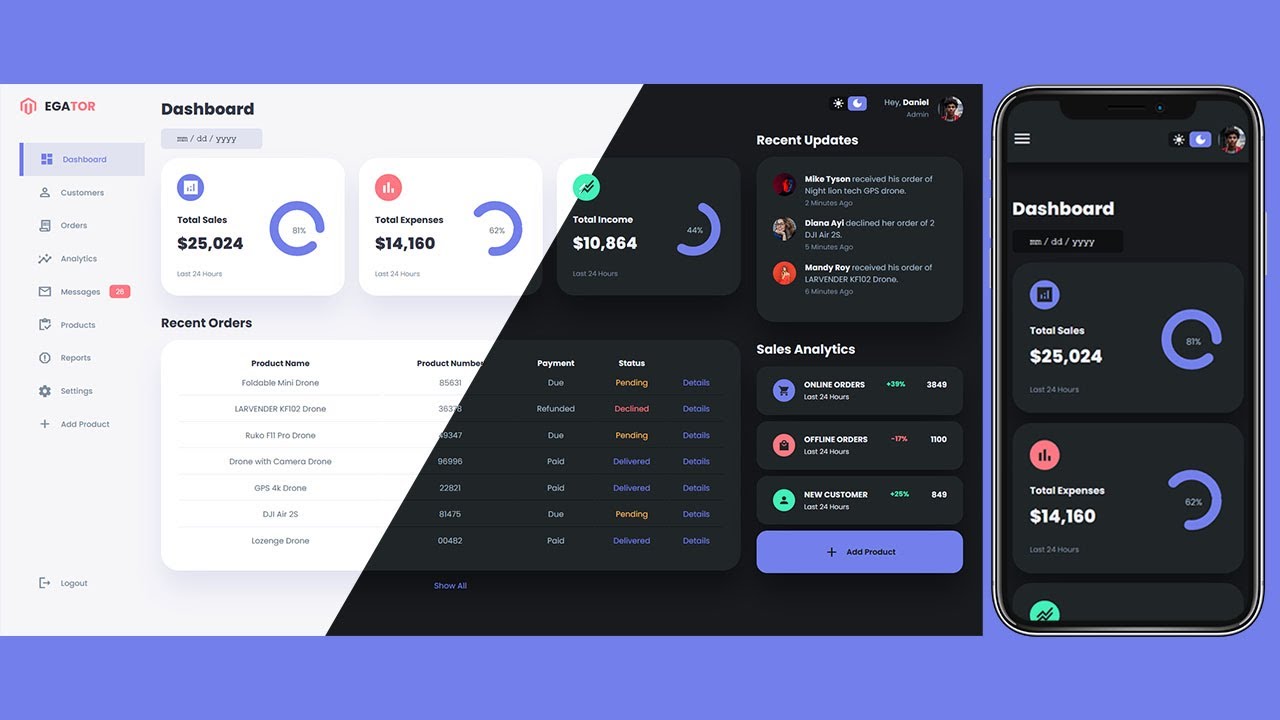
Create a Responsive Admin Dashboard For an Ecommerce Website using HTML, CSS, and JavaScript.
Hostinger Discount: https://www.hostg.xyz/SH8cs
Responsive React Portfolio Website with Theme Customization (FULL COURSE): https://www.udemy.com/course/r....eact-js-portfolio-we
In this tutorial, I'm going to show you how to use modern HTML, CSS, and JavaScript to create a completely responsive admin dashboard with light and dark mode theme functionality. We'll be using CSS Variables, CSS Grid, CSS Flexbox, Media queries for our responsive design, and CSS transitions and animations for some cool animation effects.
Like and Subscribe: https://www.youtube.com/channe....l/UCL8l_VxCAN0jOpaLa
HTML CSS & JavaScript Playlist: https://www.youtube.com/watch?v=hvpATFHbVm0&list=PLfVxbRIcicREvxnfsrWqiyPrjiVdnbLa_
Source code & Live Demo: https://www.patreon.com/egator
I've made the source code for all projects available for the past few months, but now I need your support to keep bringing you even better content. Please join my Patreon and have access to all my project source code, images, and live demo! You'll also have access to all future projects, Figma files, my upcoming Udemy course, and more!
Assets: https://drive.google.com/file/....d/1PuE6vRIat5ITTinme
Timestamps
00:00:00 Intro (Project Overview)
00:02:17 Project Folder Structure and Files
00:03:30 Adding Material Icons CDN
00:04:20 Aside/Sidebar Markup
00:10:10 CSS Variables and General Styles
00:20:03 Aside and Sidebar Styles
00:28:52 Main Section (Calendar & Insights) Markup
00:33:30 Main Section (Calendar & Insights) Styles
00:42:25 Recent Orders (Orders Table) Markup
00:44:27 Recent Orders (Orders Table) Styles
00:47:28 Right Section (Top & Recent Updates) Markup
00:51:40 Right Section (Top & Recent Updates) Styles
00:57:05 Right Section (Sales Analytics) Markup
00:59:43 Right Section (Sales Analytics) Styles
01:04:10 Media Queries 1 (Responsive Design For Big Tablets and Small Laptops)
01:09:42 Media Queries 2 (Responsive Design For Small Tablets and Mobile Phones)
01:16:45 Showing and Hiding of the Sidebar using JavaScript
01:18:25 Animating Sidebar
01:19:40 Theme Change/Toggle Functionality (Light & Dark Mode with JavaScript)
01:22:35 Filling Table with Orders using JavaScript

In this Complete step-by-step tutorial, you are going to learn how to build a full CRUD application from scratch using php & mysql. I am going to teach you how to build a responsive blog application or website using HTML, CSS, JavaScript, PHP and MySQL. I take a beginner's approach to this tutorial, to explain this project throughout the journey using modern design principles and technologies in the frontend, and PHP's procedural programming on the backend. By the end of this complete PHP Project tutorial, you will be able to build a full CRUD project using html, css, javascript, php and mysql. This is be best php project with source code you can find on the internet or youtube.
Source Code: https://buymeacoffee.com/egator/e/318209
Become a Patron: https://www.patreon.com/posts/complete-php-app-114148284?utm_medium=clipboard_copy&utm_source=copyLink&utm_campaign=postshare_creator&utm_content=join_link
FRONTEND Timestamps
00:00 Intro (Project Demo & What you'll learn)
00:20:10 File/Project Folder Structure
00:27:45 Nav HTML
00:34:55 CSS Variables & General styles
00:49:10 Nav CSS
00:59:40 Featured Post
01:09:00 General Post CSS
01:14:00 Featured Post CSS
01:16:00 Posts
01:24:20 Category Buttons
01:29:25 Footer
01:45:45 Media Queries Responsive Design
01:50:00 Nav Dropdown
02:16:50 Blog Page HTML & CSS
02:28:40 Single Post Page HTML & CSS
02:39:40 Category Posts HTML & CSS
02:44:00 About, Services, Contact Page HTML & CSS
02:47:54 Sign Up Page HTML
02:54:00 General Form CSS
03:03:15 Sign in Page
03:04:55 Add Category Page
03:07:55 Add Post Page
03:14:00 Add User Page
03:17:45 Edit Category, Edit Post & Edit User Pages
03:23:00 Manage Categories Page
03:32:40 Dashboard CSS
04:02:40 Manage Users Page
04:05:50 Manage Posts Page
BACKEND Timestamps
04:12:18 XAMPP Installation
04:16:14 Minor Frontend Changes
04:18:35 Creating Blog Folder & Installing Extensions
04:24:45 Project Folder/Files Structure & Configurations
05:04:08 Creating Database & DB user & Connecting DB to project
05:14:50 Creating Users Table
05:19:12 User Signup/Registration
06:22:30 User Login and Access Control
07:01:55 Creating/Adding Users (Author/Admin)
07:31:55 Displaying/Fetching Users on Manage Users Page
07:44:45 Updating/Editing Users
08:04:40 Deleting User
08:23:15 Creating Categories Table
08:24:35 Creating/Adding Categories
08:43:40 Displaying/Fetching Categories on Manage Categories Page
08:53:40 Updating/Editing Categories
09:06:25 Deleting Categories
09:15:00 Creating Posts Table
09:23:25 Creating/Adding Posts
09:54:10 Displaying/Fetching Posts on Manage Posts Page
10:17:20 Updating/Editing Posts
10:40:35 Deleting Posts
11:18:50 Fetching Single Post, Fetching Posts by Category, Fetching Posts on Blog Page
11:56:04 Searching Post
Assets: https://github.com/egattor/php-mysql-blog-assets

Hostinger Discount: https://www.hostg.xyz/SH8cs
Learn how to create a completely responsive multi-page education/school website using HTML, CSS, and javascript. This is a step-by-step beginner web development project tutorial on how to build a modern school or education website using html5, css3, and ES6 javascript.
Responsive React Portfolio Website with Theme Customization (FULL COURSE): https://www.udemy.com/course/r....eact-js-portfolio-we
Source Code, Assets & Live Demo: https://www.buymeacoffee.com/egator/e/54058
Become a patron: https://patreon.com/egator
This complete website tutorial will teach you how to make a responsive multipage website from scratch. This website will have a Home page, About page, a Courses page, and a Contact page with a fully functioning Contact Form.
Features:
responsive navbar with an animated menu toggle.
responsive categories section.
responsive courses section.
responsive frequently asked questions section.
responsive testimonials section (testimonials slides).
responsive footer section.
responsive achievements section.
responsive team section.
responsive contact form.
Responsive Social Media Website: https://www.youtube.com/watch?v=AiFfDjmd0jU
Responsive Portfolio Website: https://www.youtube.com/watch?v=38gH1596RnY
Watch More Tutorials: https://www.youtube.com/channe....l/UCL8l_VxCAN0jOpaLa
Assets: https://drive.google.com/file/....d/1nmJTIApyrPzE9-D_W
Timestamps:
00:00:00 Intro (Project Preview)
00:08:26 Project Folder and Files Structure
00:10:37 VSCode Extensions (emmet & Preview on web server)
00:11:35 Navbar HTML
00:14:10 Using Iconscout (https://unicons.iconscout.com/....release/v2.1.6/css/u
00:15:03 Browser Default Styles reset
00:17:38 CSS Root Variables
00:19:13 Importing Google Fonts (montserrat)
00:21:00 General CSS Styles and Classes
00:27:10 Navbar CSS
00:29:56 Header HTML
00:35:25 Header CSS
00:38:12 Categories HTML
00:41:45 Categories CSS
00:49:15 Navbar Styles Change on Scroll using JavaScript
00:52:13 Popular Courses HTML
00:55:45 Popular Courses CSS
00:59:46 FAQs HTML
01:03:05 FAQs CSS
01:08:20 FAQs Toggle using JavaScript
01:12:00 Testimonials HTML
01:15:45 Testimonials CSS
01:20:59 Testimonials Slide using SwiperJS (https://swiperjs.com)
01:27:10 Footer HTML
01:29:05 Footer CSS
01:34:13 Responsive Design for Tablets (CSS Media Queries for tablets)
01:36:50 Navbar Dropdown Menu Style
01:41:50 Navbar Dropdown Menu Toggle using JavaScript
01:46:32 Navbar Dropdown Menu Animation using CSS Keyframes
01:57:40 Responsive Design for Mobile Phones (CSS Media Queries for mobile phones)
02:05:00 About Page Achievements HTML
02:11:00 About Page Achievements CSS
02:17:32 About Page Team HTML
02:23:15 About Page Team CSS
02:31:50 About Page Responsive Design (CSS Media Queries for About Page)
02:37:08 Courses Page
02:40:45 Contact Page HTML
02:46:20 Contact Page CSS
02:55:40 Contact Page Responsive Design
03:00:28 Form Submission using FormSpree (https://formspree.io)
03:05:50 Adding Background Image Texture

Hostinger Discount: https://www.hostg.xyz/SH8cs
Are you looking for video tutorials that will teach you how to create modern responsive websites using html css and javascript? Then these 5 videos are best for you!
In these 5 practical step-by-step tutorials, I will teach you how to build and deploy 5 beautiful and modern websites from start to finish!
By the end of this hands-on html css and javascript projects tutorial, you will be able to design any modern website or web application from scratch!
Source Code for all 5 Projects: https://buymeacoffee.com/egator/e/296083
Become a Patron: https://patreon.com/egator
Timestamps
00:00 Intro
00:01:05 What you're going to learn
00:05:31 Project 1 (Education Website)
00:12:23 Buying Hosting & Claiming free Domain
03:23:10 Project 2 (Admin Dashboard)
04:51:55 Project 3 (Social Media Website)
07:29:42 Project 4 (Hospital Website)
10:37:35 Project 5 (Personal Portfolio Website)
ASSETS to follow along: https://github.com/egattor/5-html-css-js-assets
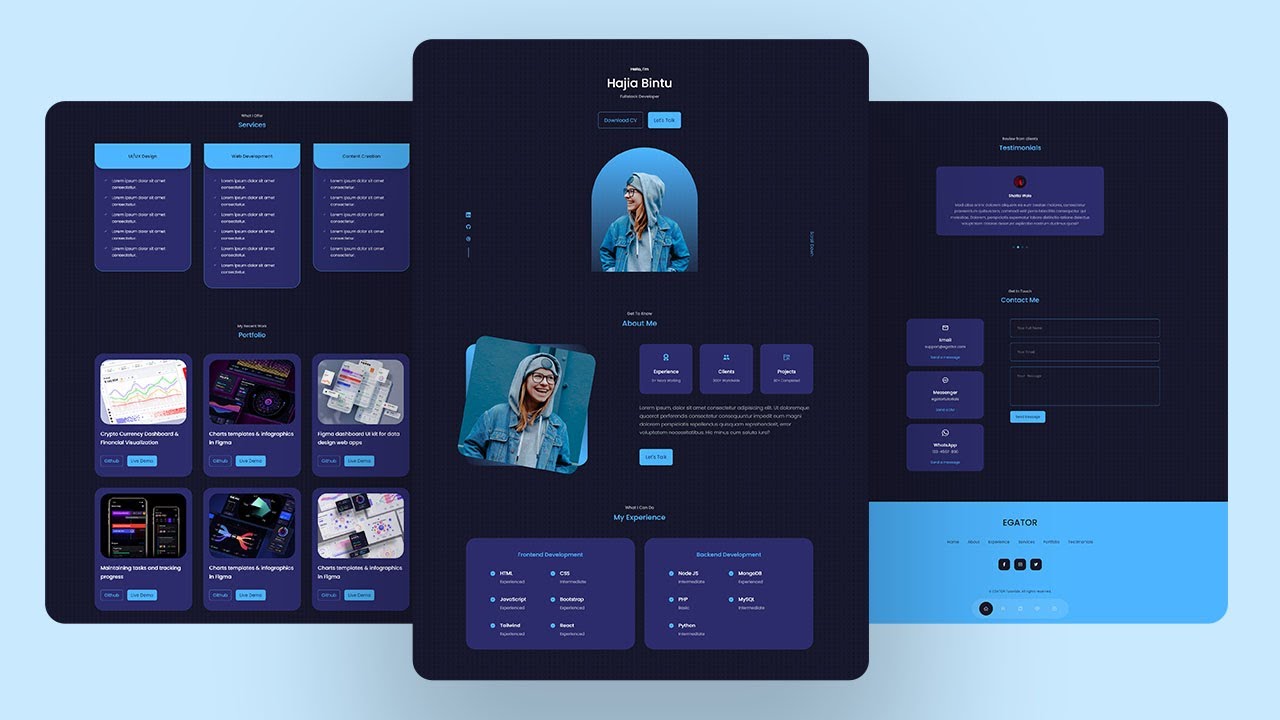
React Portfolio Website Tutorial From Scratch - Build & Deploy React JS Portfolio Website
Hostinger Discount: https://www.hostg.xyz/SH8cs
Responsive React Portfolio Website with Theme Customization (FULL COURSE): https://www.udemy.com/course/r....eact-js-portfolio-we
Source Code, Assets & Live Demo: https://www.buymeacoffee.com/egator/e/56809
Become a patron: https://patreon.com/egator
In this practical react js project tutorial, I'm going to teach you, step-by-step, how to create and deploy a fully responsive personal portfolio website from scratch! By the end of this video, you will know how to create a react app from scratch, how to use the react icons library in your react projects, how to use react useState hooks, how to build modern website designs with CSS3, how to use SwiperJS (to create carousels/slides) in your react projects, how to add multiple contact options on your website (WhatsApp, Facebook Messenger, and Direct form submission using EmailJS), and more!
No prior react knowledge is required for this tutorial, as I will be explaining every step along the way.
Now Let's Build The Best React Personal Portfolio Website On YouTube!
Assets: https://drive.google.com/file/....d/18FpIv7YdbzermIl1y
Timestamps
00:00:00 Intro (Project Overview)
00:08:43 Buying Hosting & Claiming Free Domain on Hostinger
00:11:38 Installing Node & VSCode
00:12:21 Assets
00:12:56 Creating our React App using npx create-react-app
00:14:22 Managing and Creating files & folders
00:20:15 Creating all Components
00:27:40 CSS Variables & General CSS Styles
00:45:00 Header Component JSX
00:52:42 Installing React Icons and Using them in our project
00:56:18 Header Component CSS
01:04:20 Header Component Responsive Design
01:06:45 Floating Nav Component JSX
01:13:57 Floating Nav Component CSS
01:18:00 Managing Nav States using useState Hook
01:21:43 About Component JSX
01:28:29 About Component CSS
01:35:15 About Component Responsive Design
01:38:45 Experience Component JSX
01:44:17 Experience Component CSS
01:50:40 Experience Component Responsive Design
01:53:35 Services Component JSX
01:57:25 Services Component CSS
02:02:35 Services Component Responsive Design
02:04:15 Portfolio Component JSX
02:10:10 Portfolio Component CSS
02:14:45 Portfolio Component Responsive Design
02:16:02 Generating Portfolio Items from Array using map method
02:20:44 Testimonials Component JSX
02:24:03 Testimonials Component CSS
02:29:15 Testimonials Component Responsive Design
02:30:26 Generating Testimonials from Array using map method
02:33:40 Creating Carousel/Slides using SwiperJS
02:40:23 Contact Component JSX (Multiple contact options: Facebook Messenger, WhatsApp & Email)
02:51:02 Contact Component CSS
02:57:02 Contact Component Responsive Design
02:58:34 Form Submission using EmailJS
03:07:43 Footer Component JSX
03:11:53 Footer Component CSS
03:16:30 Footer Component Responsive Design
03:18:50 Deploying Our React Website
#reactjs #reactportfoliowebsite #reactjsprojects

Hostinger Discount: https://www.hostg.xyz/SH8cs
Are you looking for a video tutorial that's going to teach you how to build and deploy a modern responsive personal portfolio website using HTML, CSS and JavaScript? Then this is the perfect tutorial for you!
In this step-by-step tutorial, you will learn how to create the most beautiful portfolio website on the internet! This projects comes with plenty of modern features such as: light-dark theme, mobile responsiveness, accordion for frequently asked questions, carousel for clients testimonials, fully functioning contact form, beautiful floating navigation, amazing animations and transitions, and more!
Source Code: https://buymeacoffee.com/egator/e/283325
Become a Patron: https://patreon.com/egator
part 2: https://youtu.be/fGT97ZYP-Hs
Google Fonts: https://fonts.google.com/
Iconscout: https://iconscout.com/unicons/free-line-icons
SwiperJS: https://swiperjs.com/
Mixitup: https://www.kunkalabs.com/mixitup/
Animate on scroll: https://michalsnik.github.io/aos/
Timestamps:
00:00 Intro (Project Demo)
08:25 Hosting & FREE Domain
12:14 Project Folder Structure
14:27 Top Navbar
18:20 General CSS Helper styles
34:20 Navbar CSS
38:40 Floating Navbar HTML & CSS
52:05 Header HTML & CSS
01:06:50 Resume HTML & CSS
01:21:40 Floating Navbar JavaScript
01:26:20 Resume JavaScript
01:43:40 Projects HTML
Starter files: https://github.com/egattor/res....ponsive-portfolio-st
#htmlcssjavascript #responsivewebsite #personalportfolio


React Native vs Flutter - Which one should you learn? And how does React Native compare to Flutter, NativeScript or Ionic?
Join the full Flutter course: https://acad.link/flutter
Exclusive discount also available for our React Native course: https://acad.link/react-native
Or dive into NativeScript: https://acad.link/nativescript
Don't miss Ionic! https://acad.link/ionic
Build a PWA instead: https://acad.link/pwa
Read the article: https://academind.com/learn/fl....utter/react-native-v
Check out all our other courses: https://academind.com/learn/our-courses
----------
• Go to https://www.academind.com and subscribe to our newsletter to stay updated and to get exclusive content & discounts
• Follow @maxedapps and @academind_real on Twitter
• Join our Facebook community on https://www.facebook.com/academindchannel/
See you in the videos!
----------
Academind is your source for online education in the areas of web development, frontend web development, backend web development, programming, coding and data science! No matter if you are looking for a tutorial, a course, a crash course, an introduction, an online tutorial or any related video, we try our best to offer you the content you are looking for. Our topics include Angular, React, Vue, Html, CSS, JavaScript, TypeScript, Redux, Nuxt.js, RxJs, Bootstrap, Laravel, Node.js, Progressive Web Apps (PWA), Ionic, React Native, Regular Expressions (RegEx), Stencil, Power BI, Amazon Web Services (AWS), Firebase or other topics, make sure to have a look at this channel or at academind.com to find the learning resource of your choice!

In this video, we show you how to build a high-performance e-commerce app using React Native and Laravel Admin. You'll see how easy it is to create an e-commerce solution with the powerful combination of React Native and Laravel, taking advantage of Laravel's robust API and React Native's flexibility and user-friendly interface. We'll walk you through the process of setting up the Laravel admin and integrating it with the React Native app, using the latest React Native Hooks. This complete shop app includes features like product catalog, shopping cart, and checkout process, making it easy for you to build an e-commerce solution that meets your needs. Whether you're a developer looking to create a cutting-edge react native ecommerce app or a business owner looking to launch an online store, this video is a must-see. Check out the video now and see the full potential of React Native and Laravel for e-commerce.
purchase admin panel with react native app from here: https://codecanyon.net/item/ot....rixweb-react-native-
purchase Opencart Admin panel with react native app
https://codecanyon.net/item/ot....rixweb-react-native-
purchase admin panel with flutter app from here: https://codecanyon.net/item/ot....rixweb-flutter-appli

React Native + Laravel + MySQL Realtime Chat Application
#1. Introduction
- Learn how to build your own Realtime chat application with best practice from start to finish
#reactnative #laravel #programming
Contact me via :
Twitter : https://twitter.com/dev_dumb
Email : dumbdev168@gmail.com

Sign up for CodeRabbit using code FIRESHIP to get get 1-month free https://bit.ly/41rLUxm
Let's take a first look at Lynx, an open-source app development framework created by ByteDance. Compare Lynx to other cross-platform tools like React Native and Flutter for building native iOS and Android apps.
#programming #tech #thecodereport
💬 Chat with Me on Discord
https://discord.gg/fireship
🔗 Resources
Lynx Docs https://lynxjs.org
React Native Expo in 100 Seconds https://youtu.be/vFW_TxKLyrE
Awesome Developer Tools https://youtu.be/qyCVCGg_3Ec
🔥 Get More Content - Upgrade to PRO
Upgrade at https://fireship.io/pro
Use code YT25 for 25% off PRO access
🎨 My Editor Settings
- Atom One Dark
- vscode-icons
- Fira Code Font
🔖 Topics Covered
- What is ByteDance Lynx?
- React Native vs Lynx
- Flutter vs Lynx
- How build mobile app with JavaScript
- React Lynx basics tutorial

In this Jelvix tech showdown, our expert teams compare Flutter 4 and React Native by building the same logistics dashboard. We cover platform support, performance, ecosystem integration, UI control, and developer experience. Find out which framework suits your next project best — and don’t miss our ultimate 2025 checklist at the end!
✅ Don’t forget to like, subscribe, and hit the bell for more weekly tech breakdowns in 5 minutes!
▶ Watch next: Node.js vs Java | Which technology to choose in 2025? - https://www.youtube.com/watch?v=if3Dv1fxtcM
▶ Contact Jelvix: jelvix.com
▶ For YouTube partnerships: youtube@jelvix.info
Subscribe for more tech tips and tutorials: https://www.youtube.com/channe....l/UCEDr9FfkfzsT-hJOQ
▶ Follow us:
Facebook - https://www.facebook.com/JelvixCompany
Twitter - https://twitter.com/jelvix
Instagram - https://www.instagram.com/jelvix
Linkedin - https://www.linkedin.com/company/jelvix
TikTok - https://www.tiktok.com/@jelvix_company
▶ About this video:
In this video, Jelvix experts put Flutter 4 and React Native to the test by assigning both frameworks the same real-world project: building a cross-platform logistics and analytics dashboard. Our internal development teams — Team Flutter and Team React Native — showcase how each tool performs across mobile, web, and desktop, focusing on key areas like multiplatform support, UI/UX performance, integration with existing tech stacks (like React and Node.js), developer experience, and ecosystem flexibility.
Watch as we break down the pros and cons of each framework using actual project outcomes — including a final checklist to help you decide which one fits your needs best in 2025.
#flutter #reactjs #appdevelopment
---
Disclaimer:
The content in this video is based on company's experience. The primary purpose of this video is to educate and inform. Note that Jelvix is not responsible for the results of advices that were taken without considering individual situation and goals of your business. Jelvix strongly recommends to perform your own independent research before making any critical decisions. If you have a complaint about something or find your content is being used incorrectly, please contact Jelvix.
This video is available for private, non-commercial use only. You may not edit or modify this video.

A simple example of a mobile app on React Native that shows the list of Chuck Norris's jokes taken from a public API. Also we compare it with Flutter: syntax, easier start, popularity.
Repository: https://github.com/LaravelDail....y/React-Native-API-D
Another video "Flutter: Simple Mobile App to Load Data from API": https://www.youtube.com/watch?v=DWCJQbxAe_A
Flutter vs React Native: A Developer’s Perspective Comparison https://nevercode.io/blog/flut....ter-vs-react-native-
- - - - -
Try our Laravel QuickAdminPanel: https://bit.ly/quickadminpanel
Enroll in my Laravel courses: https://laraveldaily.teachable.com

Join this channel to get access to perks:
https://www.youtube.com/channe....l/UC-wcneYz7rKa-fWg7
#android #ios #blender #androiddeveloment #iosdevelopment #swift #kotlin #typescript #nextjs #webdev #javascript #threejs #godot #gamedev #reactnative #flutter #viral #viralvideo #viralshort #viralshorts #viralvideos #programming #graphql #kotlinmultiplatform #grpc #godot #springboot #springframework #fastapi #webdevelopment #html #css #javascript #gdscript #typescript #threejs #nextjs #angular #vuejs #astro #watchos #macos #websocket #webworker #nextjs #gatsbyjs #remixjs #nuxtjs #expressjs #nodejs #dotnet #fastapi #C# #python #tensorflow #pytorch #websocket #docker #rsocket #C++ #golang #rustlang #AWS #laravel #rubyonrails #java #elixir
